You sit down to work, open your laptop, and twenty minutes later you're halfway through a group chat argument you don't even care about. The problem isn't discipline—it's rhythm. Once you lose the thread of a task, restarting costs more mental energy than the original push. That's exactly where a structured timer stops being a novelty and starts being scaffolding. Focusly, a pomodoro timer app built around deep work sessions, tries to give you that scaffolding without over-engineering it.
What Focusly Actually Does Differently
Most timer apps stop at "25 minutes on, 5 minutes off" and call it a day. Focusly puts more weight on the planning layer before the clock starts. You lay out what you're working on, set a session intention, and then the app locks you into that block. It's a small shift, but it changes how you enter a task. Instead of pressing start and vaguely figuring things out as the timer runs, you've already declared the scope. That pre-commitment makes the first five minutes of a session feel less like a ramp-up and more like a continuation.
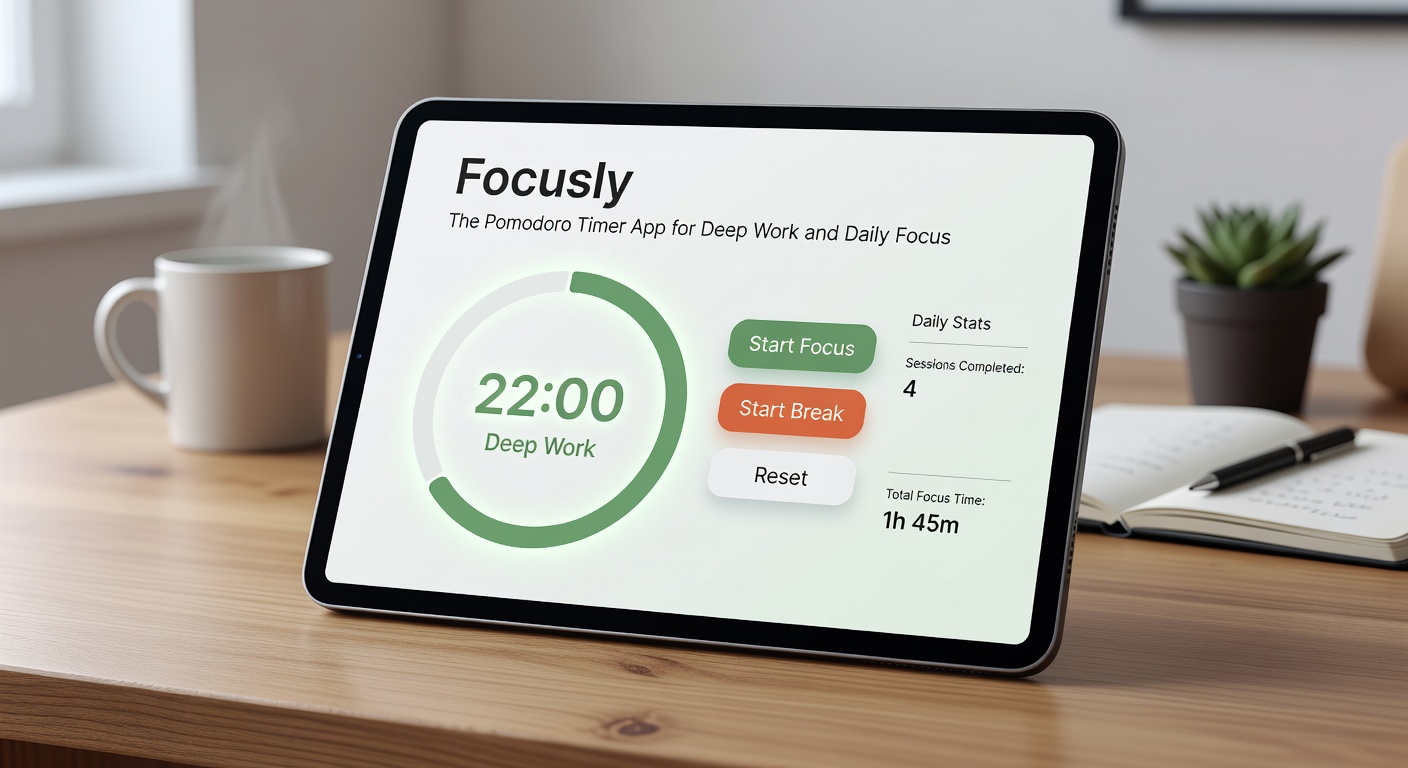
The interface itself is restrained—no animated badges, no social leaderboards, no gamified streaks that turn productivity into a performance. You get a clean countdown, a session log, and enough visual feedback to know where you are in a block without getting pulled out of it. For anyone who's found other focus apps more distracting than helpful, this deliberate flatness is a real advantage.
Using It in Real Work Situations
Where Focusly earns its keep is in scenarios where context-switching is the default. Take a typical afternoon of mixed tasks: you have a report draft due, three Slack threads that need replies, and a spreadsheet that hasn't been updated since last week. Without a structure, you bounce between them based on whoever pings you last. With Focusly, you assign a two-block session to the report, a single block to the spreadsheet, and leave the replies for a planned break window. The app doesn't force this sequence, but having it visible in front of you makes it harder to casually abandon the harder task halfway through.
It also handles study sessions well. If you're reviewing material for an exam or working through a technical tutorial, the ability to chain several pomodoro blocks with consistent labels means your session history actually tells you something later. You can see that you spent four blocks on chapter seven and one block on chapter twelve, which is more useful than a raw timestamp.
The limitation shows up when your work is inherently interrupt-driven. Customer support, live ops, anything where you genuinely can't ignore incoming requests—a rigid timer framework becomes friction rather than support. Focusly doesn't have a soft mode or flexible pause that accommodates that kind of work. You either commit to the block or you abandon it, and abandoning it feels like breaking a contract with yourself. That's fine for deep work, but it's the wrong tool for reactive roles.
Fit, Tradeoffs, and Alternatives
Focusly works best if you already have some tolerance for structure and just need a container to hold it. If you're someone who resists any external constraint on your time, the app won't change that tendency—it'll just give you something to ignore. The tradeoff is that you get simplicity and calm at the cost of flexibility. There's no adaptive scheduling, no integration with task managers, no way to pull in your calendar and auto-populate session plans. You do that manually, which keeps the app lightweight but means you're doing more setup work yourself.
Against alternatives, the split is clear. If you want social pressure or streak mechanics, something like Forest gives you that gamified push. If you want a timer embedded inside a full project management tool, Todoist or TickTick cover both sides. Focusly sits in a narrower lane: it's just the session, just the intention, just the log. That narrowness is the point, but it's also the boundary.
For writers, developers, researchers, and anyone whose work requires sustained attention on a single thread, Focusly removes the usual timer-app noise and gives you a clean working rhythm. For people whose days are defined by interruptions and rapid pivots, it's going to feel like wearing a watch that only tells you what you should be doing, not what you actually have to deal with.
The practical takeaway: try Focusly if your real bottleneck is getting into a task and staying there long enough to produce something. It won't fix your motivation, but it will make the entry point shorter and the exit point more deliberate. That's what a pomodoro timer app for deep work should do—give you walls when you need them, and nothing else.
Comments
Leave a Comment