You know that feeling. It's 2 PM, you sit down with your coffee, ready to actually get something done. Three hours later, you've replied to two Slack messages, scrolled through five subreddits, and somehow ended up watching a guy build a cabin in the woods. Your actual work? Still sitting there, untouched.
That's exactly the problem Focusly tries to fix. Not with some grand productivity philosophy or a twenty-step morning routine. Just a straightforward pomodoro timer that actually makes you commit to the session before you start typing.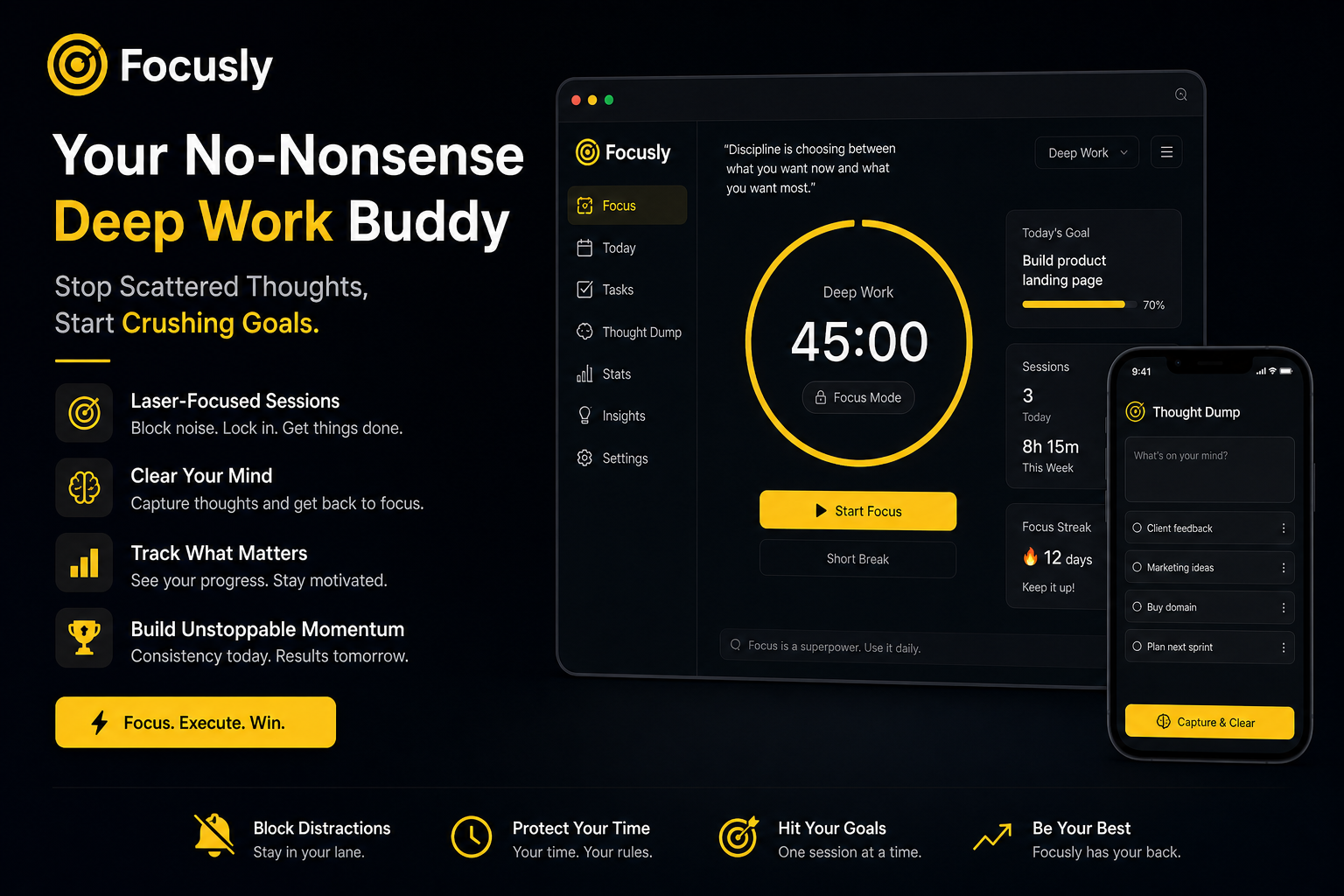
The "I'll start in five minutes" trap is real
Here's what I noticed after using Focusly for a couple weeks. The app forces you to pre-plan your session length and what you're working on before the timer even starts ticking. Sounds like a small thing, but it changes your brain's behavior. You can't just lazily hit "start" and keep your hands hovering over the phone lock button.
You pick the focus mode before you commit. Deep work, quick study burst, or just plain block-out-distractions mode. Once you're in, the screen changes. Distractions get muted. Your phone stops buzzing. It's not a gentle suggestion—it's a tiny wall between you and your TikTok muscle memory.
Three moments where Focusly actually saved my workflow
Scenario one: Writing an article that kept slipping away. I'd open a doc, write two sentences, then check email. Rinse and repeat for an hour. With Focusly, I set a 45-minute deep work block. The app dimmed out the background noise—literally and digitally. Got the draft done in one go. Not perfect, but done.
Scenario two: Studying for a certification exam. I used the shorter 25-minute pomodoro with 5-minute breaks. The difference? No "I'll just finish this page" trap. The break alarm goes off and I actually stand up. Focusly's break screen doesn't tempt you back into doomscrolling. It reminds you to breathe, stretch, or refill water. Small but legit.
Scenario three: Late afternoon slump. Around 4 PM my brain turns to jelly. Focusly's Focus Music feature actually helped here. Binaural beats or instrumental tracks (your choice) that fill the silence without demanding attention. Combined with a 20-minute sprint session, I got through leftover admin work that would've otherwise waited until tomorrow.
What Focusly does well (and where it's not for everyone)
The app's strength is simplicity. There's no social feed, no leaderboard, no "streak" gamification that makes you feel guilty on weekends. It's just you, the timer, and the task you said you'd do.
But let me be honest about the tradeoffs. If you're someone who needs external accountability—like a study buddy or public commitment—Focusly won't provide that. It's solo. Also, the pre-planning step takes about 30 seconds, which is fine if you're intentional, but if you just want to brute-force into focus mode right now, that extra friction might annoy you.
There are also cheaper options out there. The built-in timer on your phone works. Forest app plants trees. But Focusly's value proposition is that it doesn't pretend to be a lifestyle brand. It's a tool. You use it, then you put it down.
One more thing—the default notifications are set to remind you to start your session. If you're already disciplined, turn those off immediately. They become background noise otherwise.
Who should actually download this
I'd say Focusly fits best for:
- Remote workers who struggle with the "my office is also my living room" blur
- Students who need a clean break structure between study blocks
- Freelancers juggling multiple projects who need to compartmentalize time
Probably not for you if you're already using a system that works, or if you need collaborative features.
The bottom line? Focusly won't magically fix your focus. No app can. But it gives your scattered brain a simple container: work now, rest later. And honestly, sometimes that's all you need to stop the cycle of starting and restarting and never finishing.
Comments
Leave a Comment